


Color Analysis - Dressika
4.3333.00 Reviews
App Specs
- Version
- 2.4.8
- Updated On
- License
- Free
- Downloads
- 5,000,000+
- Developer
- Seasonal Color Analysis AI
- Categories
- Beauty
- Platform
- Android, iOS
Screenshots
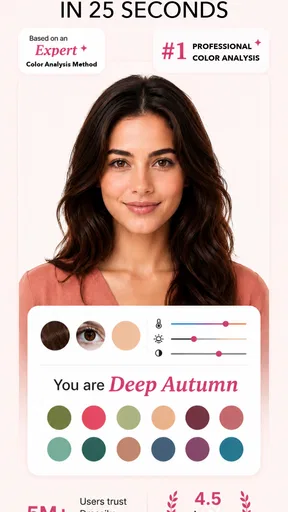
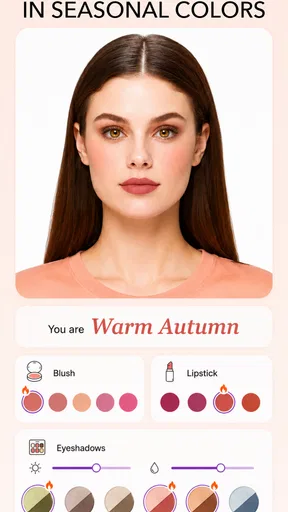
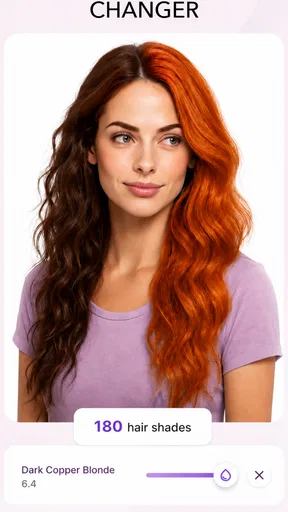
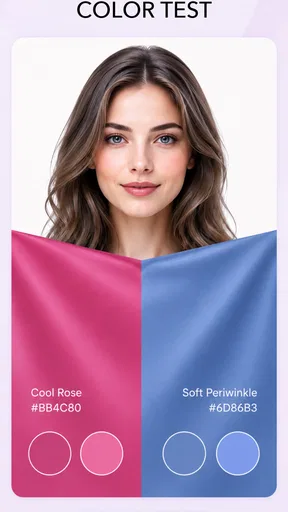
 Analysis by AppCompare
I first opened Color Analysis - Dressika because I wanted a clearer way to choose colors, not another rulebook telling me what to wear. Its appeal is immediate: take a selfie, get a seasonal color reading, and see whether the result gives you a useful starting point for clothes, hair color, and makeup. I found the process engaging, but the more important question is whether that first burst of curiosity turns into something I would keep using.
The first week: a quick spark and a useful starting point
For the initial try, I’d take the photo somewhere with soft, even daylight and keep the camera angle and background simple. That gives the analysis a fairer chance than a selfie under warm indoor bulbs, colored lighting, or strong shadows. I’d also avoid judging the result from one outfit or one photo. A color tool can only make a helpful suggestion when the image gives it a reasonable view of your face.
The seasonal result is easiest to use as a shortlist, not a verdict. If the suggested colors make you curious, try them near your face with clothes or fabric you already own. Notice whether the shade feels harmonious in daylight, whether you like how it looks in a mirror, and whether it works with pieces you actually wear. That small real-world check is more valuable than treating a label such as spring or winter as a fixed identity.
In my experience, this makes the app particularly approachable for someone who has never looked into personal color analysis. You don’t need to know fashion terminology to begin, and you can move from a selfie to a set of ideas without first paying for a consultation. At the same time, a quick automated reading is not the same as a detailed session with a stylist who can inspect colors in person and ask about your preferences.
Putting the palette to work beyond the selfie
The practical test is what happens when I’m getting dressed or considering a purchase. Rather than replacing my taste, I’d use the palette to narrow down choices: if two tops are equally appealing, I can try the one closer to the suggested colors first. This is a particularly useful role for the app—helping me make a decision when I’m already unsure, instead of asking it to build my whole style for me.
It can also help make wardrobe experiments less expensive. Before buying a new color, I’d look for a similar shade in something I already own, hold it near my face, and compare it in natural light. If I still like the effect, that gives me a reason to consider a new piece; if I don’t, I’ve avoided purchasing an item just because the app recommended a palette. The suggestion is a prompt to test, not an instruction to shop.
A realistic everyday use might be getting ready for work and finding that the usual neutral outfit feels dull. I could check the palette, then try a scarf, top, or small accessory in one of its suggested shades rather than replacing several pieces. This is where a color guide can earn its place: not through constant checking, but by making a familiar wardrobe feel easier to combine. The same approach works before packing for a trip, when a few compatible colors can make outfit choices simpler.
Worth Reading Before You Choose

Flipboard Shows What News Apps Must Do Beyond the Feed

Switching to Android Auto Means Rethinking Your Driving Routine

Google Calendar Makes a Crowded Week Easier to Manage

Ludo King Makes the Most of the Minutes Between Plans

Baby Panda World Brings Quick Play to Modern Phones, but Its Game Library Feels Busy

ESPN’s Live Game View Makes Following Close Games Easier
Where it sits among other beauty and style options
For a quick first impression, an automated color analysis app is more convenient than arranging a professional consultation and more focused than browsing general fashion advice. That convenience comes with a trade-off: a selfie-based result may not account for how lighting, camera processing, dyed hair, makeup, or personal taste affect what looks right in real life. If I needed a high-confidence answer for a major wardrobe change, I’d treat an in-person stylist’s opinion and trying colors on as stronger checks.
Compared with simply searching for seasonal color charts, the app offers a more personal entry point because the analysis starts with your own image. But a chart or a mirror costs nothing and can be enough if you already know which shades you enjoy. The app is most worthwhile when you want a structured nudge and are willing to compare its suggestions with your actual clothes; it is less compelling if you expect a definitive fashion prescription or already feel confident choosing colors.
How to keep the results useful over time
After the novelty of seeing a seasonal label wears off, the app’s value depends on whether the palette changes any small decisions. I’d save the colors mentally—or note a few favorites—then use them selectively when getting dressed, choosing makeup, or considering a hair-color change. There’s no need to recheck every outfit. A light touch keeps the tool from turning personal style into a test you have to pass.
One useful habit is to revisit the result only when there is a real decision to make. Before buying a coat, for example, compare the available shades with the palette and with the rest of your wardrobe. For makeup, test the suggestion in the kind of lighting where you usually wear it, since a shade that looks appealing on a screen may feel different in daylight. For hair color, use the app’s ideas to explore possibilities, but don’t treat a digital preview as a guarantee of how a salon result will look.
There is a practical limitation here: color perception depends on the photo and the display, and your own comfort matters more than matching a season perfectly. If the result seems wrong, I wouldn’t keep taking selfies until I got the category I wanted. I’d first improve the lighting and remove obvious distractions, then compare several suggested shades against real fabric. If they still don’t suit me, that is a good reason to trust my eyes and preferences instead.
Getting Started with Dressika
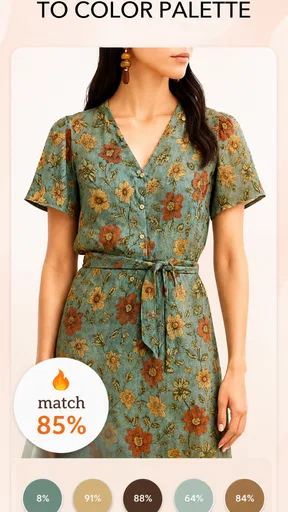
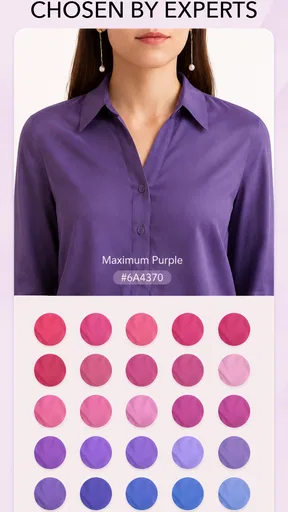
Right off the bat, the setup is pretty straightforward. You start by taking a selfie (make sure you have good lighting) and the app uses this to analyze your skin tone, hair, and eye color. It’s almost like having a personal stylist right in your pocket. Once the analysis is complete, Color Analysis - Dressika provides you with a personalized color palette.
Features That Stand Out
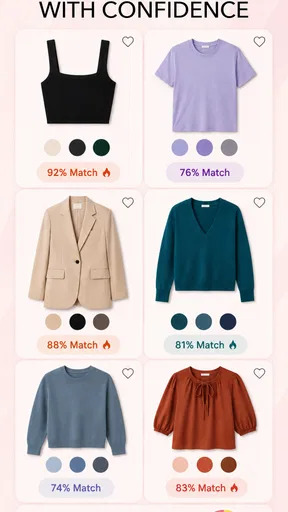
One of my favorite features is the wardrobe guidance. The app gives you suggestions on what colors to incorporate into your wardrobe based on your personalized palette. It’s like a cheat sheet for shopping! I found myself scrolling through my closet, matching clothes with the colors suggested. And guess what? It works! I felt more confident in my color choices, and even got a few compliments.
Another cool feature is the seasonal color analysis. The app categorizes your palette into seasons like spring, summer, autumn, and winter. This is super helpful if you’re planning to refresh your wardrobe for a new season. Plus, the app is user-friendly, with a sleek design that makes it easy to navigate.
Who is likely to get lasting value?
Dressika is a beauty app from Seasonal Color Analysis AI, and its focus is narrower than a general makeup or fashion app: it helps you think about color choices through a personal palette. It is free to install, rated for Everyone, and has an average rating of 4.1 from around 36,000 ratings, with over 5 million installs. Those figures suggest a broad audience has tried it, but they don’t tell me whether a particular palette will suit you. I’d decide based on whether color is a question you regularly face.
If you enjoy experimenting with clothes, makeup, or hair shades but tend to default to the same safe colors, the app can give you a low-pressure way to explore alternatives. It may also be handy for someone building a smaller wardrobe who wants new purchases to coordinate with existing pieces. On the other hand, I’d skip it if you dislike taking selfies, want a human stylist’s nuanced feedback, or prefer choosing colors entirely by instinct. The app can support your taste, but it cannot replace it.
What to expect from the ongoing experience
The app is free, while in-app purchases range from $0.99 to $39.50 per item. I’d start with the free experience and see whether the palette changes a real decision before spending anything. A one-time burst of curiosity may be enough for some people; others may find value in returning when they’re shopping or changing their look. The key is to judge any purchase by the specific help it offers you, rather than assuming that paying will make the color analysis more authoritative.
The current version is 2.3.5, and the app requires Android 7.0 or later. Those details matter if you’re checking compatibility, but they don’t change the central trade-off: a convenient, personal starting point in exchange for a result that needs to be tested outside the screen. I’d keep the palette as a reference rather than letting it dictate every choice. If your style changes, your comfort and wardrobe needs should be allowed to change with it.
Why You Should Try It
If you’re someone who struggles with deciding what colors suit you, this app is definitely worth a try. It’s especially helpful if you're planning to revamp your wardrobe or if you just want to feel more confident in your daily outfits. The insights you gain from using the app are practical and, dare I say, fun!
While it’s not a magic bullet for all fashion dilemmas, the app certainly gives you a better understanding of what works for you. It’s like having a friendly fashion guru guiding you through your closet.
As a user, I found the app to be a game-changer in how I view my wardrobe. It’s not just about fashion; it’s about expressing who you are with confidence.
So, if you're ready to add a splash of color to your life, give Dressika a whirl. You might just discover a whole new you!
My long-term verdict
For me, the strongest case for Dressika is not that it can settle every debate about personal color, but that it can make a few ordinary choices easier. Its seasonal analysis, makeup and hair-color angle, and wardrobe suggestions all point toward the same practical question: which shades do I want to try next? If that question comes up often, the app can remain a useful reference after the first week. If it comes up once and never again, there is no need to force it into a daily routine.
There can also be fatigue if every color choice starts to feel like a pass-or-fail test. I’d avoid treating a palette as a restriction or buying a new wardrobe to match it. Keep the colors that feel good, ignore the ones that don’t, and use the analysis as one perspective among several. That approach preserves the fun of experimenting without letting an automated label narrow your style.
Overall, I’d recommend trying it if you want an easy, visual introduction to seasonal color analysis and are happy to verify suggestions with clothes and makeup in real life. I’d choose a professional consultation, or simply my own judgment, when the decision is costly or the result needs to be especially precise. Used lightly, this is a pleasant tool for getting unstuck; its lasting value comes from the small choices it helps you make, not from checking it constantly.
Pros
- User-friendly interface for easy navigation.
- Accurate color matching for wardrobe planning.
- Includes personalized style tips.
- Supports multiple languages for wider reach.
- Regular updates with new features.
Cons
- Limited free features in basic version.
- Requires internet for full functionality.
- Some users report occasional bugs.
- Pro version is relatively expensive.
- No offline color database available.
FAQs for Color Analysis - Dressika
What is Color Analysis - Dressika, and how does it work?
Color Analysis - Dressika is an app designed to help users determine the best colors for their wardrobe based on personal features such as skin tone, hair color, and eye color. By uploading a photo or completing a short quiz, the app provides personalized color palettes that enhance natural beauty and complement individual styles.
Is Color Analysis - Dressika suitable for all skin tones?
Yes, Color Analysis - Dressika is designed to accommodate a wide range of skin tones. The app uses advanced algorithms to analyze your features and recommend colors that best suit your unique complexion, ensuring that everyone can find flattering colors regardless of their skin tone.
Does Color Analysis - Dressika offer fashion advice beyond color recommendations?
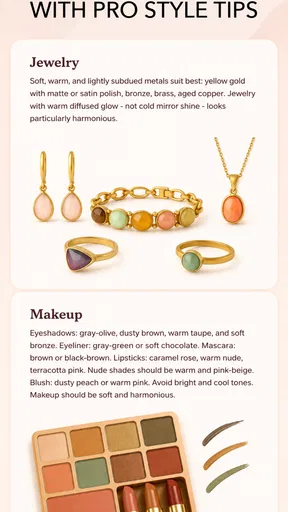
While the primary focus of Color Analysis - Dressika is color matching, it also provides style tips and fashion advice. Users can explore outfit suggestions and learn how to incorporate their recommended colors into their wardrobe, helping them make informed fashion choices.
Is the app user-friendly for those with no fashion background?
Absolutely, Color Analysis - Dressika is designed with a user-friendly interface that guides users through the color analysis process step-by-step. Even those with no previous fashion experience can easily navigate the app and utilize its features to enhance their personal style.
Is there a cost associated with using Color Analysis - Dressika?
Color Analysis - Dressika offers both free and premium versions. The free version provides basic color analysis features, while the premium version unlocks additional benefits such as more detailed color palettes, advanced fashion advice, and exclusive style guides. Users can choose based on their needs and budget.


